
Install this app
In your Cloudron dashboard, open the App Store, choose "Community apps" and paste this URL:
https://communityapps.appx.uk/cloudron-mdmap/CloudronVersions.json
Description
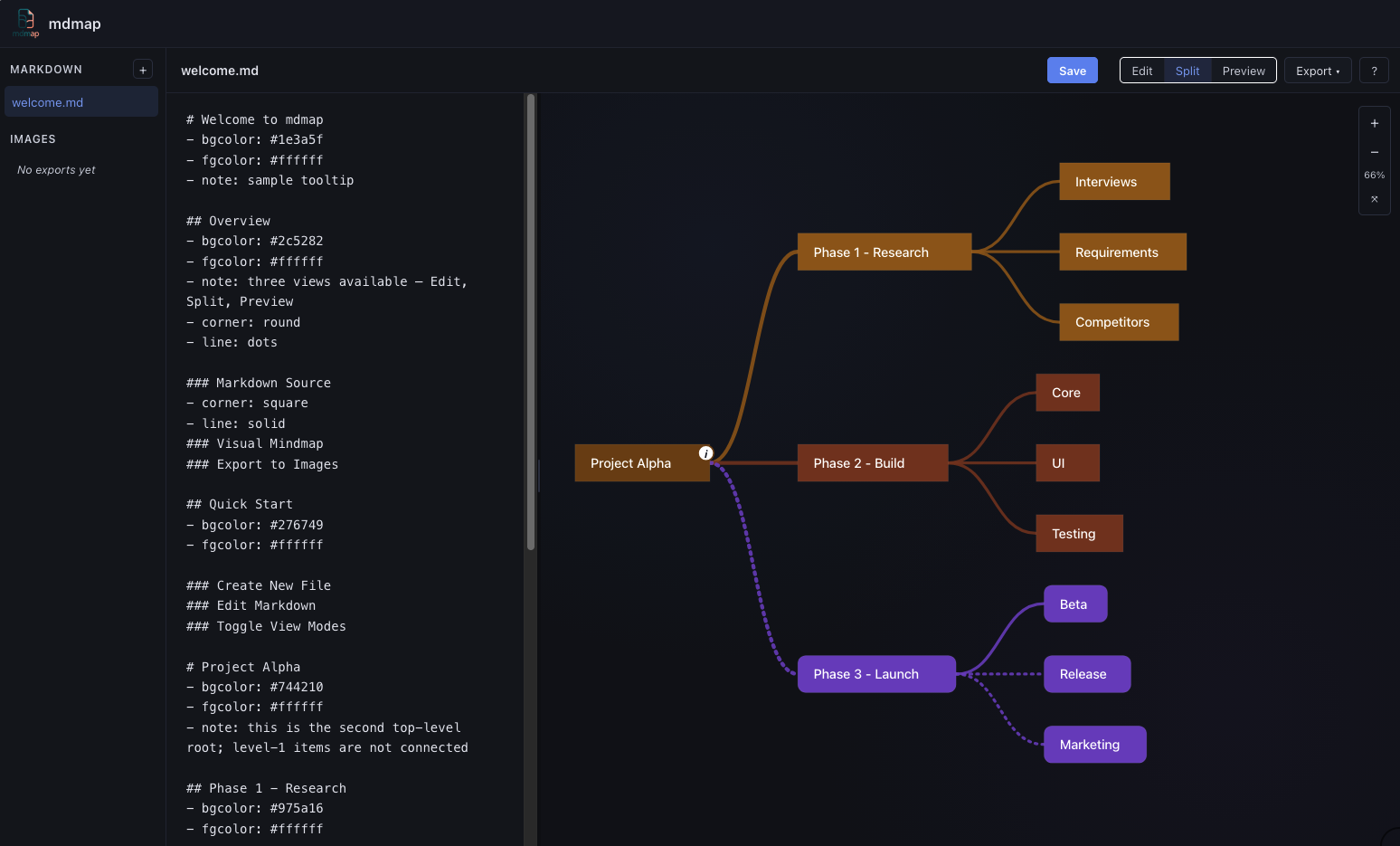
mdmap is a web application for writing markdown files and instantly visualising them as hierarchical mindmaps without sacrificing detailed information.
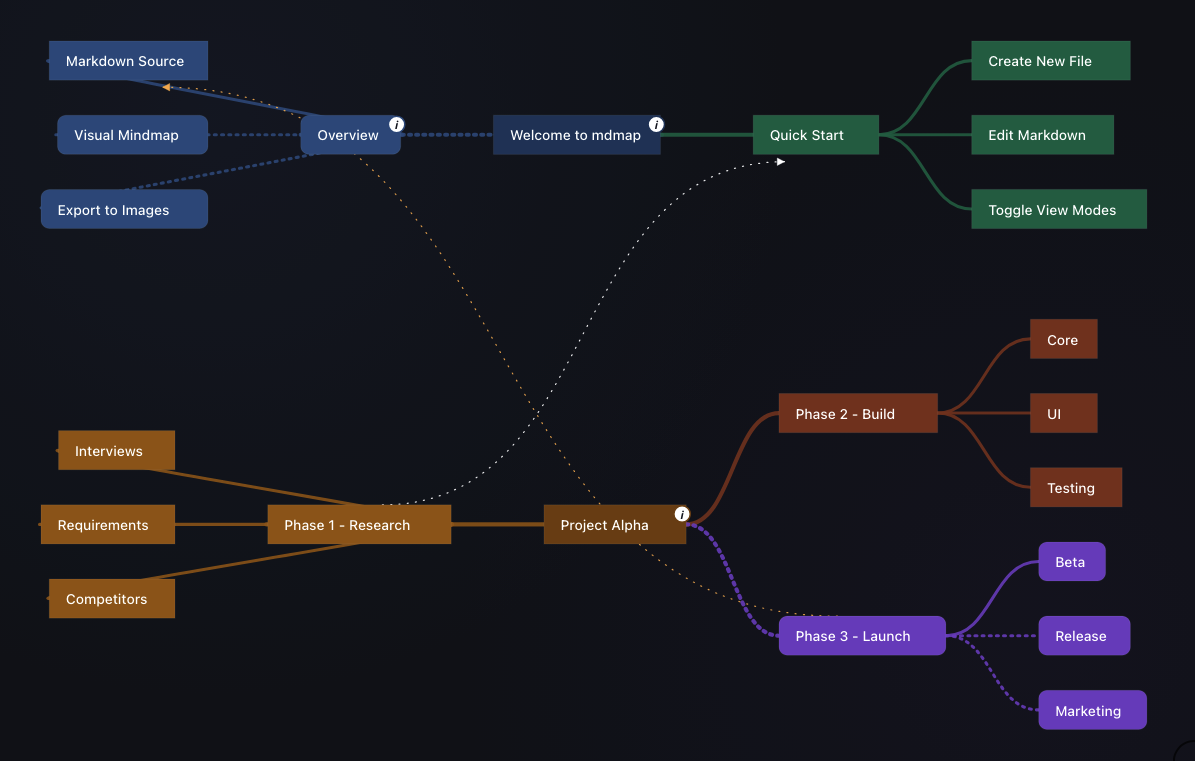
mdmap offers non-standard cool features :
- cross-node lines
- hover notes
- plain markdown files and rendered images in persistent storage
- additional content such as deep documentation / thought captures are not rendered in the map but are available in the markdown source.
It is packaged for deployment on Cloudron as a single user app with authentication handled by the Cloudron proxyAuth addon — no separate login.
Written from scratch after inspration from MarkMap.
Key features:
- Edit markdown source with a built-in text editor
- Three view modes: Edit (markdown only), Split (markdown + mindmap side by side), Preview (mindmap only)
- Split mode defaults to 30% editor / 70% canvas; the divider is draggable (15–55%) and the last ratio is remembered per-user
- Multiple top-level
#headings in one file render as independent root nodes on a canvas (level-1 nodes are never connected to each other) - Styled nodes via inline markdown metadata placed directly below a heading:
- bgcolor:,- fgcolor:,- corner: square|round,- line: solid|dots— all of these cascade down to children that don't override them - Per-root layout switch: add
- layout: squareunder a level-1#heading to render that root balanced (root centered, children split around it); declare nothing or- layout: defaultfor the standard left-to-right tree. Per-root, so you can mix styles in one file. - Cross-links between any nodes on any branches/levels: write
- base: TargetHeadingand- link: SourceHeadingon the same heading, with optional- linkcolor: color. A sparse dotted bezier is drawn from the source node to the target with a small arrow at the destination end. - Hover notes: add
- note: free textunder any heading to attach a tooltip; a smallibadge appears on the node so you know which items carry notes (notes do not cascade) - Tapering edge thickness: thicker lines for level 1 → 2, thinning at each subsequent parent→child level; each edge uses the child node's accent color and dash style
- Pan by dragging the canvas background, zoom with the mouse wheel, double-click anywhere to zoom in at that point, plus on-screen zoom controls (+, −, fit) in the top-right
- Keyboard zoom shortcuts:
+/=/numpad+in,−/numpad−out - Full-canvas image export — renders the full mindmap at its native size (no current pan/zoom letterboxing) to SVG, PNG, or JPG, including cross-links and layout styles, saved directly into the app's image library
?help button to the right of Export opens an in-app metadata reference, so the bundled welcome.md can be deleted without losing documentation- All data is stored as plain markdown files and images in persistent storage
- User preferences (last view mode, last opened file, split ratio) are remembered in a local SQLite settings database
Recent Changes
auto-position map