
Install this app
In your Cloudron dashboard, open the App Store, choose "Community apps" and paste this URL:
https://communityapps.appx.uk/cloudron-dify/CloudronVersions.json
Description
Dify for Cloudron
An open-source LLM app development platform for building AI agents, RAG pipelines, and workflow automations.
NOTE : Dify v1.17 with Agent V2 might be a breaking change if you have previous v1.16 installation
What is Dify?
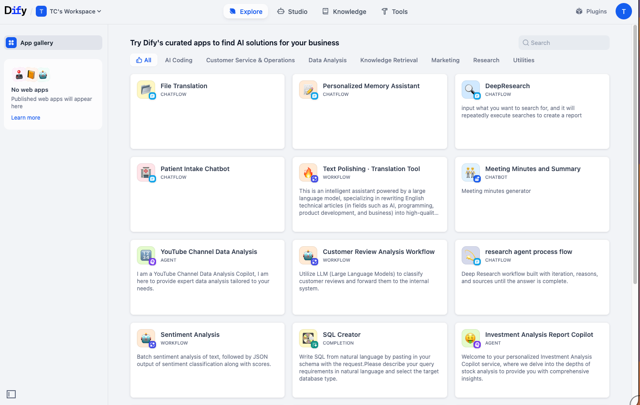
Dify is a visual platform for developing applications powered by large language models. It provides:
- Visual Workflow Builder — Drag-and-drop interface for creating AI workflows with LLM nodes, RAG pipelines, conditionals, loops, and tool integrations
- Agent Framework — Build autonomous agents with tool use, iterative reasoning, and human-in-the-loop support
- RAG Engine — Built-in retrieval-augmented generation with document upload, chunking strategies, and vector search (powered by pgvector)
- Plugin Ecosystem — Extend functionality with community plugins for tools, models, and integrations
- Multi-Model Support — Connect to OpenAI, Anthropic, Azure, local models (Ollama/LocalAI), and 50+ providers
- Collaboration — Team workspaces, role-based access, version control, and publish/deploy workflows as APIs
Package Features
- Self-Hosted — Full control over data, models, and infrastructure
- PostgreSQL + pgvector — Integrated vector database for RAG workflows
- Redis — Caching and Celery task queues
- Plugin Marketplace — Browse and install community plugins directly from the UI
- Code Execution — Secure sandboxed Python/JavaScript code nodes
- Playwright Integration — Web scraping and browser automation via bundled Playwright server
What's New in v1.17.0
- Agent V2 Enabled — Full support for autonomous agents with tool use, iterative reasoning, and human-in-the-loop workflows
- Workspace Skills — Create reusable, versioned capabilities with code and tool definitions that agents can discover and invoke
- Home Snapshots — Agent builds capture sandbox state for consistent restarts from known configurations
- E2B Sandbox Backend — Optional cloud-based sandbox execution for agent code (local sandbox enabled by default)
- Reusable LLM Variables — Define shared provider/model configurations once and reference from any LLM node
- Conversation Cleanup — Automated background task for managing old conversations
- Context-Aware History Compaction — Long agent conversations stay within model context limits
System Requirements
- Memory: 6GB minimum (8GB+ recommended for Agent V2 workflows)
- Storage: 10GB+ for application data and uploaded documents
- Database: PostgreSQL with pgvector (provisioned automatically via Cloudron addon)
- Cache: Redis (provisioned automatically via Cloudron addon)
Getting Started
- Install from Cloudron app store
- Open the app and complete the setup wizard to create your admin account
- Configure LLM providers in Settings → Model Providers
- Create your first workflow in Studio → Create from Blank
- Test with a simple workflow: Start → LLM → End
Documentation
Support
- Issues: Report on GitHub or Cloudron forum
- Community: Dify Discord | Cloudron Forum
Recent Changes
upstream Dify 1.17.1 without Home snapshots