
Cloudron MCP
Let AI assistants manage your Cloudron over MCP
Install this app
In your Cloudron dashboard, open the App Store, choose "Community apps" and paste this URL:
https://raw.githubusercontent.com/mattstyles333/mcp-cloudron/main/CloudronVersions.json
Description
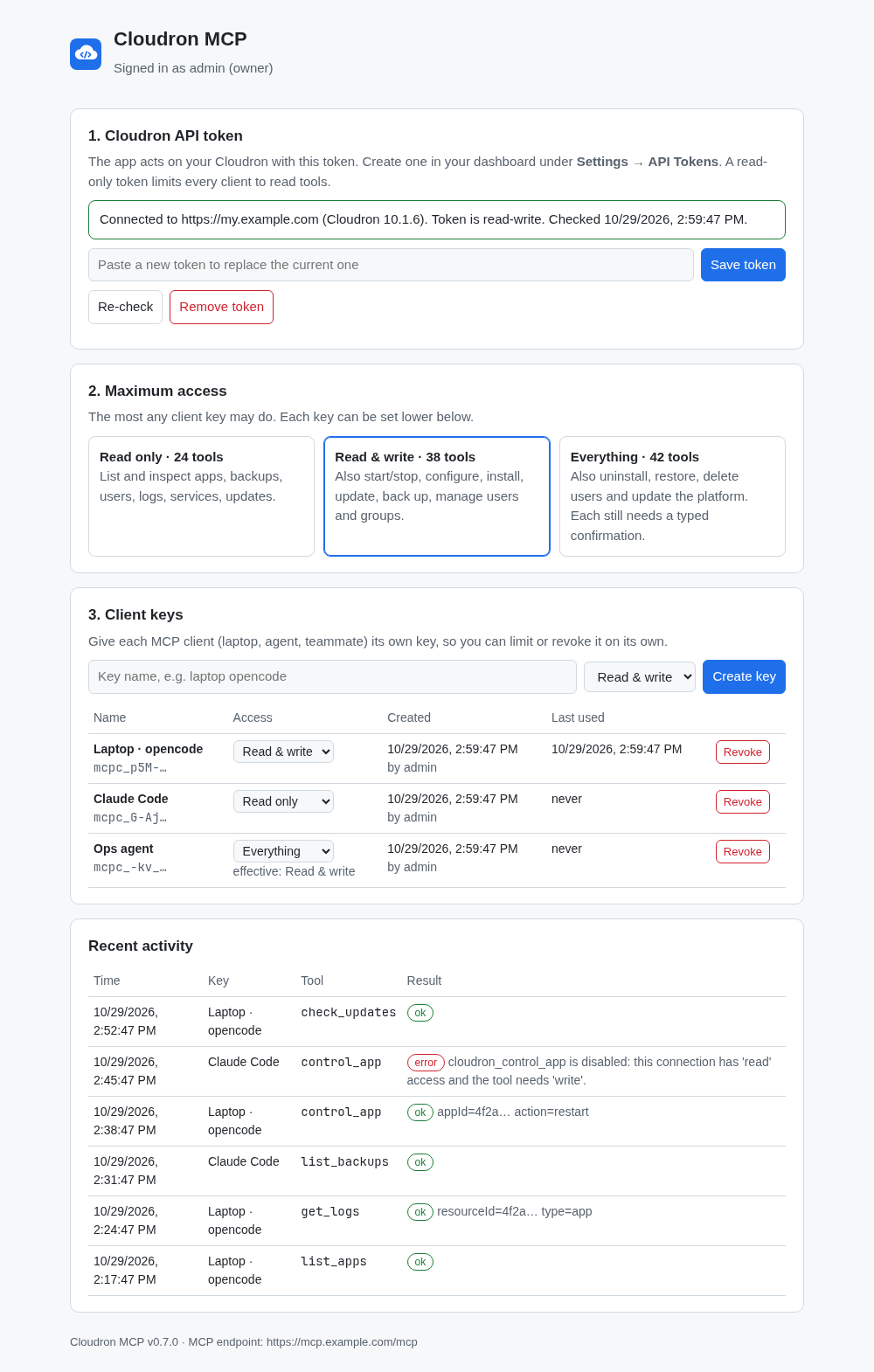
Cloudron MCP gives AI assistants (Claude, opencode, Cursor and other MCP clients) controlled access to this Cloudron.
What clients can do
- Read: apps, health, logs, backups, users and groups, services, the event log, notifications, disk space, pending updates, the App Store.
- Read & write: start, stop, restart, configure, install, clone, repair and update apps; take backups; create and edit users and groups; restart services.
- Everything: also uninstall and restore apps, delete users and update the platform. Each of these needs a typed confirmation (the app's address, the user's email or the exact version).
Who decides
- A settings page, behind your Cloudron login and limited to owners and admins, holds the Cloudron API token and the maximum access level.
- Each client gets its own key with its own level, which can be lowered or revoked at any time.
- A read-only API token keeps every client read-only, whatever the settings say.
- Recent tool calls are listed with the key that made them.
Not affiliated with Cloudron. Based on the open source halecraft/mcp-cloudron.
Recent Changes
Answer a missing or unknown client key with 403 instead of 401, which Cloudron turned into a login redirect